5 Tools for No-Code Chatbot Integration in Apps
5 Tools for No-Code Chatbot Integration in Apps
Integrating chatbots into mobile apps no longer requires extensive coding knowledge. With no-code tools, you can connect advanced AI models like OpenAI's GPT-4 to your iOS or Android apps easily. These platforms simplify the process through drag-and-drop interfaces, API connectors, or SDKs, enabling faster deployment and smarter user experiences.
Here’s a quick overview of five tools to help U.S.-based app developers integrate chatbots:
- OpenAssistantGPT: Open-source, cost-effective, with flexible integration options like IFRAME embedding and SDKs.
- Adalo: Ideal for building mobile apps with native AI integration through API connectors and plugins.
- Zapier: Automates workflows by connecting OpenAI chatbots with thousands of apps using triggers and actions.
- Glide: Focuses on Progressive Web Apps, offering mobile-friendly chatbot features like speech-to-text and image analysis.
- Backendless: Combines chatbot integration, database management, and multi-platform deployment with SDK support.
Each tool supports OpenAI models like GPT-3.5, GPT-4, and more, allowing for tailored chatbot behavior. Pricing varies by platform, and OpenAI usage fees are billed separately. The best choice depends on your app's needs, such as customer support, workflow automation, or backend management.
Build a Free AI Chatbot in Minutes (No Coding Required)
How No-Code Chatbot Integration Works in Mobile Apps
Integrating OpenAI chatbots into mobile apps using no-code platforms can be achieved through web views, SDKs, or direct API connections. These methods allow developers to create smarter and more responsive in-app experiences. The process often starts with entering an OpenAI API key into an integration panel. This key serves as a secure link between your iOS or Android app and OpenAI's models, such as GPT-4. From there, the integration is tailored to fit specific app needs through different interfaces and protocols.
Integration Methods
-
Web Views: These display chatbots as web components embedded within an iframe in the app interface. The
window.openaiAPI facilitates communication between the chatbot and the host application. - SDKs: Tools like OpenAI's ChatKit provide pre-built React components for embedding customizable chat widgets. These widgets often come with features like file attachments and response streaming already included.
- Direct API Connections: For developers seeking full control, this method involves sending HTTP requests directly to GPT-4 and rendering responses using the app's native UI.
Key Considerations for U.S. Developers
When integrating chatbots into mobile apps, teams in the U.S. need to address several critical aspects:
- Privacy Compliance: Collect only the data necessary for chatbot tasks. Avoid gathering sensitive information such as Protected Health Information (PHI), Payment Card Information, Social Security Numbers, or authentication credentials. Always treat API keys with the same care as passwords, ensuring they are not hardcoded into client-side code.
-
Performance Optimization: Mobile users expect fast responses. To meet this demand:
- Keep widget state payloads under 4,000 tokens.
- Use response streaming to deliver replies in a natural, timely manner.
- Test and adjust chatbot settings, like "temperature" (creativity level) and "max tokens" (response length), in OpenAI Playground before deployment.
- Localization: U.S.-specific interfaces must format currency, dates, and measurements to align with local conventions. Any action that modifies data - like creating, updating, or deleting - should be clearly labeled and require user confirmation to avoid mistakes.
Finally, thorough testing on both iOS and Android platforms ensures the chatbot delivers consistent performance and maintains proper UI formatting across devices.
1. OpenAssistantGPT
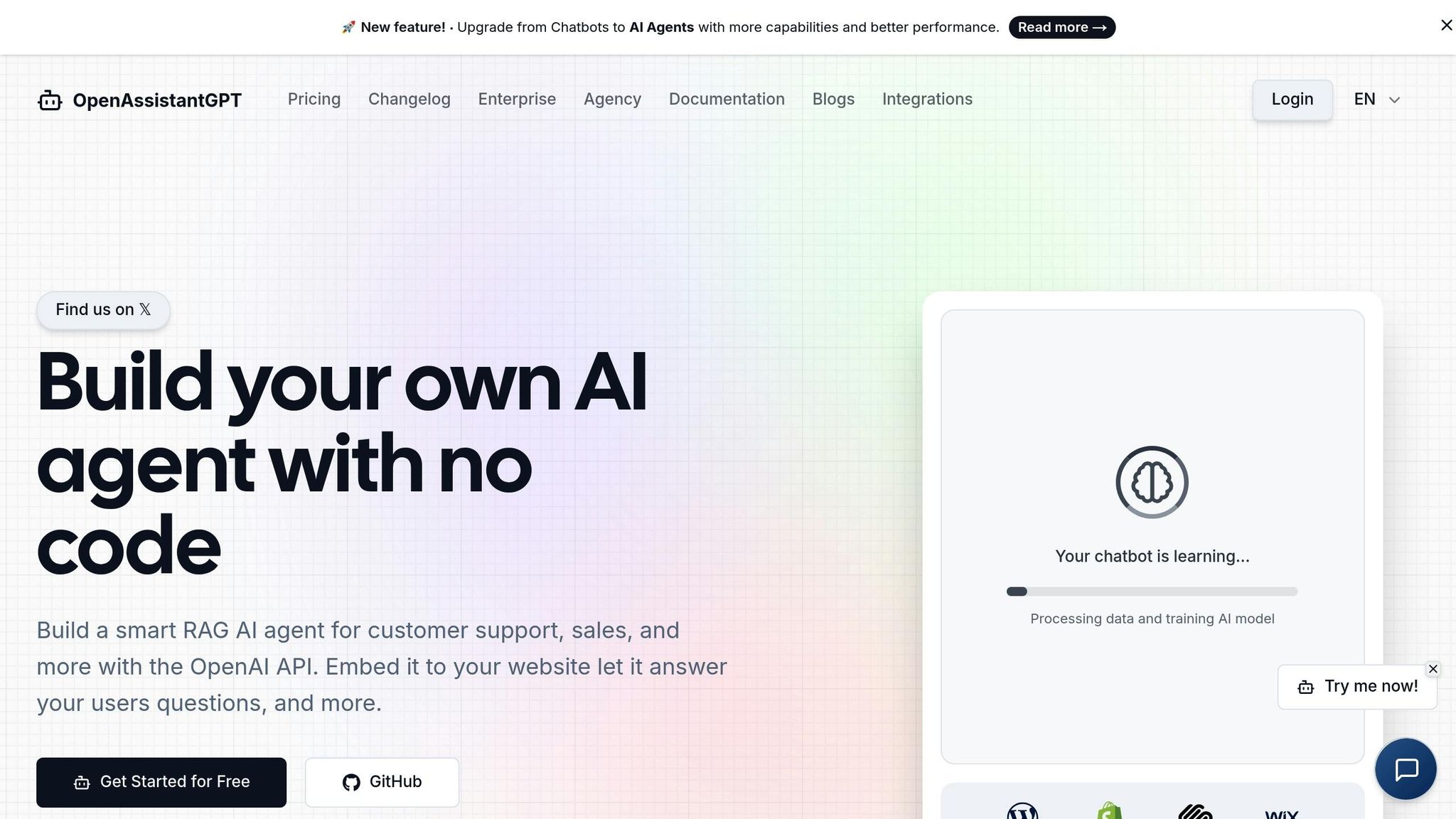
OpenAssistantGPT is a no-code platform built on an open-source foundation, designed for teams wanting complete control over their chatbot solutions without incurring extra fees. It’s powered by OpenAI's Assistant API and offers seamless integration options, including IFRAME embedding, SDKs (like those tailored for Next.JS), and API connections.
Integration Options
The platform’s primary integration method is through IFRAME embedding, which allows for a responsive layout by placing the IFRAME tag at the root of the page. For teams working with Next.JS, there's a dedicated Chatbot SDK specifically optimized for that framework. Additionally, OpenAssistantGPT supports API integrations and works with automation tools like Zapier, making it easy to link chatbot interactions with existing workflows.
Supported OpenAI Models
OpenAssistantGPT is compatible with several OpenAI models, including GPT-4o, GPT-4o-mini, GPT-4 (gpt-4-1106-preview), and GPT-3.5 (gpt-3.5-turbo-1106). The GPT-4o-mini model stands out as a fast and cost-efficient choice, particularly for mobile applications where quick response times are crucial for user satisfaction. Note that GPT-4 models require OpenAI Tier 1 access. The platform also utilizes OpenAI's Assistant API retrieval function to process and analyze uploaded files.
Features for Mobile Users
To enhance the mobile experience, OpenAssistantGPT supports local storage persistence, allowing users to save and resume chat histories on their devices. Users can also upload and analyze files like CSVs, XML files, and images directly within the chat interface. Developers have the flexibility to fine-tune chatbot behavior dynamically using URL parameters.
Pricing Plans and Benefits for U.S. App Teams
OpenAssistantGPT operates on a transparent pricing model by directly billing teams at standard OpenAI API rates, avoiding additional markups or hidden fees. This setup is particularly appealing to U.S.-based app teams aiming to manage AI costs predictably without paying per-message fees.
Here’s a breakdown of the pricing:
- Free Plan: Includes 1 chatbot and 500 messages per month.
- Basic Plan: Priced at $18/month, supports 9 chatbots with unlimited messages.
- Pro Plan: Costs $54/month, allows for 27 chatbots, and includes advanced features like custom domains.
- Enterprise Plan: Offers unlimited chatbots with custom pricing tailored to specific needs.
For teams with technical expertise, the open-source codebase available on GitHub provides the option to self-host and customize the platform to fit unique requirements.
Next, we’ll dive into Adalo, another tool that simplifies no-code chatbot integration for mobile apps.
2. Adalo
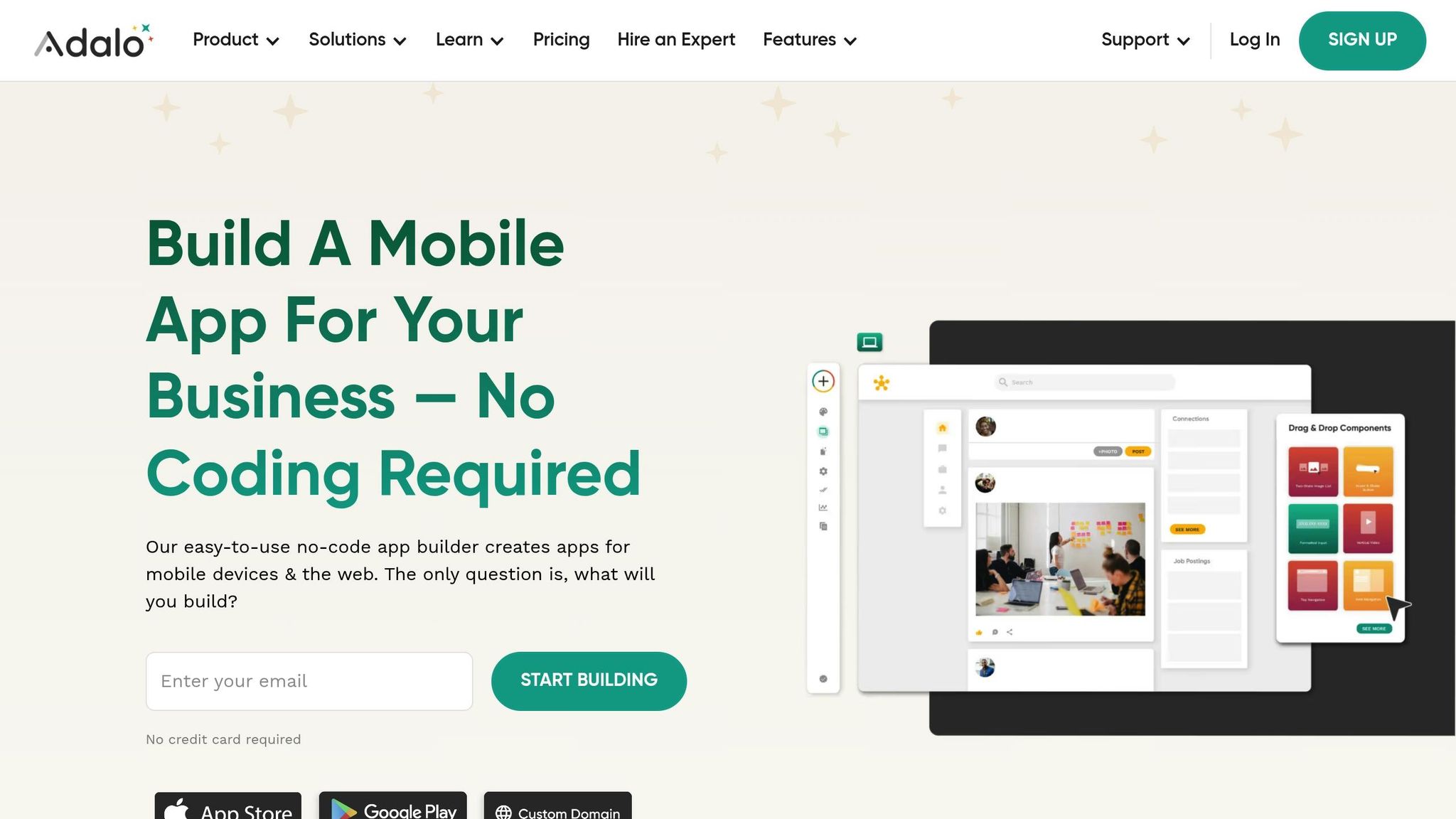
Adalo is a no-code platform that allows users to create mobile apps, integrate AI-driven chatbots, and publish them directly to the Apple App Store and Google Play Store. With over 1 million apps powered by Adalo and handling more than 20 million daily requests in the U.S., it’s a reliable solution for mobile app development.
Integration Method
Adalo simplifies API connectivity with its native Custom Action feature, while tools like Zapier or Make provide additional automation options for triggering workflows [21, 23]. For developers seeking more control, Adalo’s Custom Actions can directly connect to OpenAI’s REST API endpoints. To ensure efficient performance, it’s recommended to keep prompts concise - this reduces response times and helps manage token usage effectively.
These flexible integration methods allow for customized configurations tailored to specific app requirements.
OpenAI Model Support
By default, Adalo’s "Ask ChatGPT" action uses GPT-3.5-turbo, offering quick responses at a cost of about $0.002 per 1,000 tokens. For more advanced use cases, teams can configure the platform to utilize GPT-4 or the Assistants API, which supports complex logic and file handling [22, 24]. Adalo also includes a "History" field to pass previous messages, maintaining conversation context. However, this feature should be used sparingly to avoid exceeding the context window or incurring higher costs.
Mobile-Specific Features
Adalo supports native app deployment and provides access to device hardware like geolocation and cameras, enabling location-based chatbot responses [26, 28]. Its relational database ensures real-time synchronization, while native push notifications help keep users engaged [26, 27]. Additionally, apps built with Adalo maintain a 99%+ uptime, ensuring reliability for end-users.
These features make Adalo a well-rounded option for integrating chatbots into mobile apps without extensive coding knowledge. For those looking for a simpler alternative, you can build your own AI agent with no code using OpenAssistantGPT.
Pricing Tiers and Suitability for U.S. App Teams
Adalo’s pricing structure is designed to meet the needs of U.S. app development teams, offering flexibility for different budgets and project scopes.
- The Professional plan ($60/month, billed annually) is the entry-level tier required for Custom Actions and AI integrations. It supports up to two published apps with direct publishing to the Apple App Store and Google Play Store [22, 24].
- Teams should also account for the standard fees: $99/year for an Apple Developer account and a one-time $25 fee for Google Play.
- The Free plan allows users to build and test unlimited prototypes, with a limit of 200–500 records per app.
- For teams handling more complex data structures, the Team plan ($200/month) includes Xano integration.
Adalo’s pricing and features make it an accessible and scalable choice for app teams looking to integrate AI-driven chatbots into their mobile applications.
3. Zapier
Zapier makes integrating OpenAI chatbots into mobile apps a breeze by automating workflows - called Zaps - without the need for custom coding. Using a trigger-and-action system, it enables events in one app, like a new form submission, to automatically generate AI-driven responses. With access to over 8,000 apps and more than 450 AI tools, Zapier has become a go-to platform for automation. In fact, as of 2023, 87% of Forbes Cloud 100 companies reportedly use Zapier.
Integration Options
Zapier offers multiple ways to integrate OpenAI into mobile apps:
- Zapier Chatbots: Build custom AI chatbots that can be embedded directly into apps or hosted on standalone pages.
- Zapier Interfaces: Use a drag-and-drop interface to create chat surfaces that interact seamlessly with OpenAI models.
- Webhooks: Connect custom mobile app builders or link with mobile-first platforms like WhatsApp, Telegram, or SMS using Twilio.
To maintain conversation continuity, you can set up a Memory Key within Zapier's OpenAI action steps. Zapier also connects OpenAI to various messaging apps, enabling multi-channel deployment to reach users wherever they are.
These flexible integration methods make it easy to tailor Zapier to the specific needs of any mobile app.
OpenAI Model Support
Zapier supports a variety of OpenAI models to cater to different requirements and budgets. The default GPT-4o mini model, priced at $0.60 per million tokens, is a fast and affordable choice. For more demanding tasks, you can opt for models like GPT-4, GPT-4o, or GPT-5.2, with the latter costing $14.00 per million output tokens. Advanced models such as o3 and o4-mini are also available but require at least $5 in prepaid credits on your OpenAI account.
"For automating tasks, we recommend using GPT-4o mini (your most affordable, flexible option) or GPT-5.2 (which provides state-of-the-art performance)."
- Steph Spector, Editor, Zapier
Pricing Plans for U.S. App Teams
Zapier offers pricing plans designed to fit teams of all sizes, billed annually in U.S. dollars:
- Free Plan: Includes 100 tasks per month and supports 2 chatbots using GPT-4o mini.
- Professional Plan: Costs $19.99/month, unlocking features like multi-step Zaps, Webhooks, and chatbot embedding with up to 10 knowledge sources.
- Team Plan: Priced at $69/month, it supports 25 users and 20 chatbots, while also removing the Zapier logo from embedded interfaces.
- Enterprise Plans: Provide advanced features like unlimited users, SAML SSO, and VPC Peering. These plans also include pay-per-task billing at 1.25 times the base cost if you exceed your monthly task limit.
Zapier ensures robust security with SOC 2 and GDPR compliance, making it a reliable choice for U.S. app teams. Additionally, data shared with OpenAI through Zapier's API is not used to train models unless explicitly permitted. With over 25 million Zaps created by users, Zapier has established itself as a trusted tool for scaling mobile app automation.
sbb-itb-7a6b5a0
4. Glide
Glide offers a fresh take on chatbot integration by focusing on Progressive Web Apps (PWAs) instead of traditional iOS or Android apps. Essentially, your chatbot operates within a mobile browser but still delivers an app-like experience. With a no-code connector, you can easily link Glide to OpenAI by adding your API key in the app settings. Let’s dive into how Glide’s approach and mobile-first focus enhance chatbot functionality.
Integration Method
Glide connects OpenAI-powered chatbots using Computed Columns and Actions. Computed Columns handle bulk data tasks like sentiment analysis or keyword extraction, while Actions trigger specific responses. For example, the "Complete Chat" action uses a "Message History" table to maintain conversational context.
OpenAI Model Support
Glide supports a variety of OpenAI models, including GPT-3.5, GPT-4 (with Vision), DALL-E, Whisper, and GPT-5, offering context lengths of up to 4,096 tokens. You can fine-tune chatbot behavior using "Model Tweaks", adjusting settings like Temperature (0.0–2.0), Maximum Length, and Frequency Penalty. For fact-based Q&A, a Temperature setting of 0 is recommended.
Mobile-Specific Features
Glide takes advantage of mobile device hardware to enhance functionality. It supports Speech-to-Text for audio transcription and Text-to-Speech for voice responses. With GPT-4 Vision, it can extract text from images, and AI-generated images are processed within 5–10 seconds.
Pricing Tiers and Suitability for U.S. App Teams
To use Glide, you’ll need a paid plan along with an OpenAI API key. AI usage is tracked via "Updates", with each successful AI action consuming part of your monthly quota. For instance, a Complete Chat action costs 1 update, while Speech-to-Text and Text-to-Speech actions each cost 5 updates. Additionally, OpenAI’s API fees are billed separately. Glide is ideal for medium-to-large businesses. U.S.-based teams should carefully monitor usage in both Glide (for Updates) and OpenAI (for Tokens) dashboards to manage costs effectively.
5. Backendless
Backendless combines OpenAI integration, database management, and mobile deployment into a single platform. It’s particularly well-suited for U.S.-based teams managing user interactions, storing chat histories, and deploying apps across multiple platforms. Like other tools, Backendless emphasizes seamless integrations to deliver polished mobile app experiences.
Integration Method
Backendless simplifies chatbot integration with its intuitive plugin system. By installing the OpenAI API Service plugin from the Backendless Console Marketplace, you gain access to REST API endpoints and visual Codeless logic blocks. This drag-and-drop interface allows you to set up chat sessions and send messages without needing to write any code. The platform also offers a built-in createSession method for managing conversations. You can choose to store chat data in the Backendless database or temporarily cache it by adjusting the persistInDB setting. When enabled, this feature automatically creates OpenAISession and OpenAIMessage tables to archive your chat history.
OpenAI Model Support
The platform uses gpt-3.5-turbo as its default model but allows flexibility to switch to other OpenAI models, including GPT-4, via the aiModel parameter. Additionally, Backendless supports plugins for audio translation, transcription, and image generation. Mark Piller, CEO of Backendless, highlights these tools as transformative, aimed at reshaping how applications interact with and understand their users.
Mobile-Specific Features
Backendless offers native SDKs for Flutter, Android (Java), and iOS (Swift/Objective-C), making it easy to integrate directly into mobile platforms. Its Real-Time Database ensures chat messages sync instantly, while built-in features like push notifications, geolocation, and file uploads enhance the overall mobile experience. For app previews and publishing, the Backendless Viewer mobile app enables developers to turn UI Builder apps into hybrid mobile applications for both Android and iOS.
Pricing Tiers and Suitability for U.S. App Teams
Backendless provides multiple pricing options: a Scale Variable Plan for cloud hosting, Backendless Pro for on-premise or private cloud setups, and a free Community Edition for single-server deployments. U.S. teams benefit from regionally located servers, ensuring compliance and optimal performance. Note that you’ll need to supply your own OpenAI Secret API key, as OpenAI usage fees are billed separately. This platform is an excellent choice for medium-to-large teams seeking a comprehensive backend infrastructure.
Tool Comparison Table
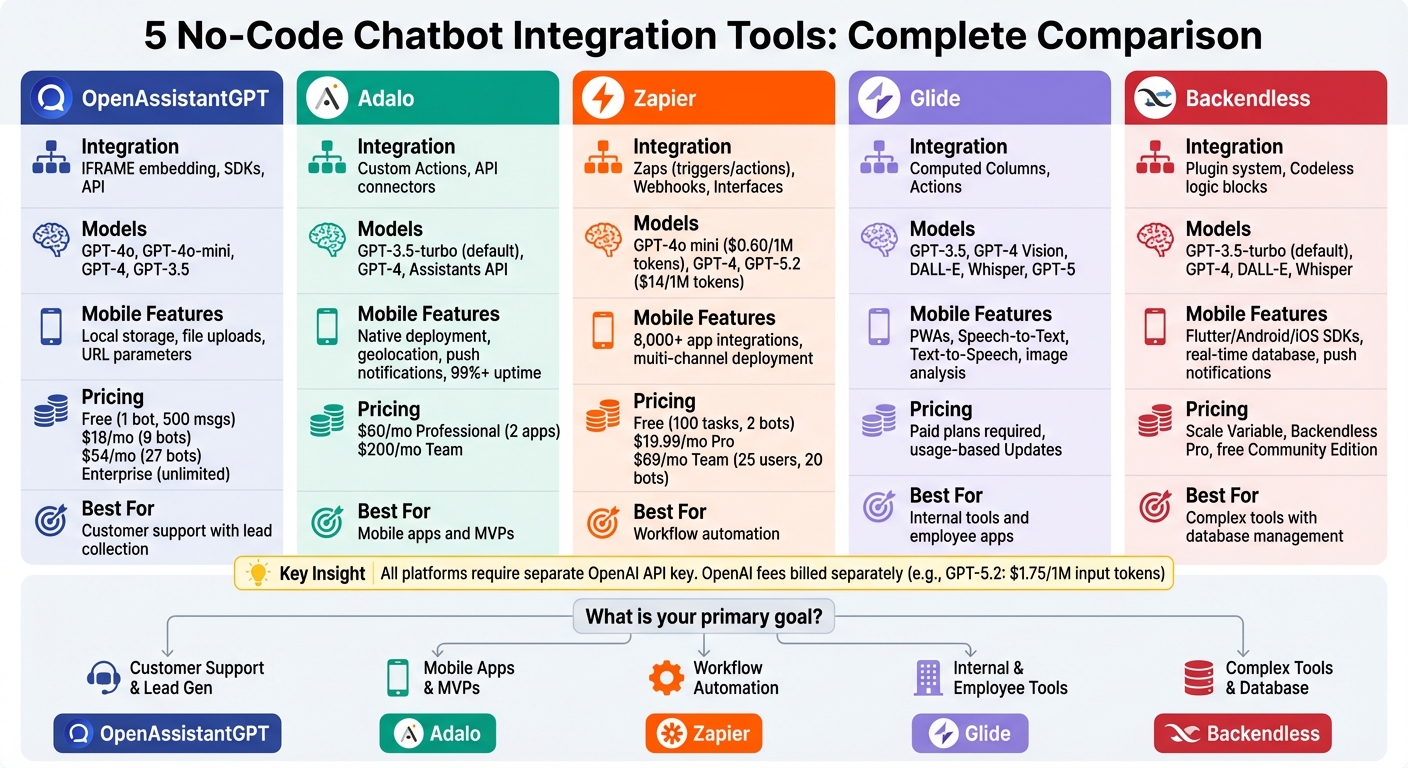
No-Code Chatbot Integration Tools Comparison: Features, Pricing, and Best Use Cases
Here’s a snapshot of the key features and strengths of various no-code platforms, helping you identify the best fit for your app's needs. Whether you're prioritizing integration options, mobile capabilities, or pricing flexibility, this table breaks down the essentials to streamline your decision-making process.
| Tool | Integration Method | OpenAI Model Support | Mobile Features | Pricing | Best For |
|---|---|---|---|---|---|
| OpenAssistantGPT | Embed HTML/JS code via app builder | GPT-4, GPT-3.5, GPT-4o, GPT-5 through Assistant API | Customizable appearance, trigger-based actions, web-views | Free, $18/mo, $54/mo, Enterprise plans | Customer support chatbots with lead collection and web crawling |
| Adalo | API connectors and plugins | GPT-4, GPT-3.5, Whisper (speech-to-text) | Mobile deployment with native components | Pricing varies | Simple mobile apps and MVPs with conversational interfaces |
| Zapier | Workflow-based "Zaps" with triggers and actions | GPT-4, GPT-3.5 for text tasks | Mobile automation with cross-platform triggers | Usage-based pricing | Automation workflows connecting multiple apps and services |
| Glide | API connectors with datasource binding | GPT-4, GPT-3.5 | Publish to iOS & Android, supports spreadsheet-backed apps | Pricing varies | Internal tools and employee-facing applications |
| Backendless | API plugins with Codeless logic blocks | GPT-3.5-turbo (default), GPT-4, DALL-E, Whisper | SDKs for Flutter, Android (Java), iOS (Swift), real-time database, push notifications | Scale Variable Plan (cloud), Backendless Pro (on-premise), free Community Edition | Complex internal tools with database management and multi-platform deployment |
For customer support needs, OpenAssistantGPT and Adalo stand out with their quick deployment options, such as embedding or native publishing. If you're developing internal tools, Glide offers seamless spreadsheet integration, while Backendless provides a robust backend for managing databases and multi-platform apps. For automating workflows across multiple services, Zapier shines with its ability to integrate OpenAI into broader automation processes.
Keep in mind that all these platforms require your own OpenAI API key. OpenAI usage fees - such as $1.75 per 1M input tokens for GPT-5.2 or $0.25 per 1M for GPT-5 mini - are billed separately from the platform subscription costs. Before deploying your app, it’s a good idea to test and refine your prompts in the OpenAI Playground.
Conclusion
Selecting the best no-code chatbot integration tool comes down to aligning your app's specific needs with each platform's capabilities. For example, if your app focuses on customer-facing features like lead generation or website embedding, OpenAssistantGPT shines with custom triggers based on user behavior - like time spent on a page or scroll depth - to help capture leads at the perfect moment. On the other hand, Zapier is a strong choice for U.S.-based developers handling complex workflows. With over 8,000 app integrations and built-in compliance features such as SOC 2 and GDPR, it’s well-suited for enterprise-level demands. These unique strengths help guide a more tailored decision-making process.
Budget considerations also play a key role, as platform costs can vary widely. Experimenting with your prompts in the OpenAI Playground can help fine-tune parameters like maximum tokens and temperature, enabling better control of API expenses during deployment.
Compliance requirements are another critical factor, especially for U.S. developers. Depending on your priorities, you might prefer a managed backend for quicker setup or a self-hosted solution for greater control. Tools like Zapier provide out-of-the-box compliance infrastructure, while platforms with custom HTML embedding let you implement your own secure AI assistant measures.
Finally, the comparison table above highlights each platform's key features, including integration methods, mobile capabilities, and pricing, to help you make an informed choice. By identifying your primary use case - whether it’s customer support, internal tools, or workflow automation across various industries - and pairing it with the platform that excels in that area, you can seamlessly integrate a chatbot into your app without writing a single line of code.
FAQs
What privacy measures should I consider when integrating a chatbot into a mobile app?
Privacy plays a crucial role when integrating chatbots into mobile apps. To safeguard user data, stick to data minimization principles - only gather what’s absolutely necessary (like a name for personalization) and promptly delete it after use. Employ strong encryption to secure data during transmission and while stored, and always obtain clear opt-in consent from users before collecting or processing their personal information.
Adhering to regulations such as the CCPA is a must in the United States. This means respecting user rights, including access to their data, deletion requests, and honoring "do-not-sell" preferences. Many platforms, such as OpenAssistantGPT, come equipped with tools that help streamline compliance efforts. If your chatbot interacts with third-party services, like calendar integrations or payment systems, ensure API permissions are tightly controlled and regularly check for vulnerabilities.
Additionally, implement secure authentication methods, such as SAML or SSO, for accessing private chats, and use session tokens to keep user data isolated. Offering users the ability to export or delete their chat history not only builds trust but also aligns with established privacy standards.
How do I select the best no-code chatbot tool for my app?
To pick the right no-code chatbot platform, start by figuring out what your app needs. Do you need a chatbot for customer support, gathering leads, pulling real-time data, or answering questions based on uploaded files? OpenAssistantGPT simplifies building and customizing chatbots for these purposes with its user-friendly drag-and-drop interface. Plus, it comes equipped with tools like web crawling, API queries, and file analysis to handle these tasks.
Next, think about the technical side. Does your app need to connect with external services, integrate with a CRM, or meet strict security protocols? If so, OpenAssistantGPT has you covered with features like API connectors, enterprise-grade SAML/SSO authentication, and settings designed to meet compliance standards. For less complex needs, you can embed a chatbot directly into your app without writing a single line of code.
Lastly, take your budget and scalability into account. OpenAssistantGPT offers a free plan for basic use, while its paid plans start at just $18 per month. These include unlimited messaging and support for multiple chatbots, making it an affordable option as your needs grow. By matching your app’s goals, technical requirements, and budget, you can confidently choose OpenAssistantGPT as the no-code solution for your project.
What are the costs of using OpenAI models on no-code chatbot platforms?
The cost of using OpenAI models on no-code platforms generally breaks down into two main expenses: API usage fees and platform subscription costs.
OpenAI's API usage fees range from $5 to $15 per million tokens, depending on the model and how it's used. On top of that, no-code platforms usually charge subscription fees that fall between $0 and $54 per month, though enterprise plans often come with higher pricing.
Some platforms may also charge extra for specific features. For example:
- $30 per 1,000 web searches
- $2.50 per 1,000 file searches
- $0.10 per GB of storage per day
Since prices can vary depending on the platform and the features you select, it's a good idea to carefully review the pricing details before diving in.