OpenAI Chatbots for Salesforce: Workflow Examples

OpenAI Chatbots for Salesforce: Workflow Examples
OpenAI chatbots are changing how businesses use Salesforce. They automate tasks like lead creation, qualification, sales follow-ups, and customer support, saving time and improving efficiency. Tools like OpenAssistantGPT simplify integration, even for non-technical teams, making advanced workflows accessible without coding.
Here’s what these chatbots can do:
- Lead Management: Automatically collect, qualify, and enrich leads from website conversations.
- Sales Assistance: Summarize opportunities, provide deal insights, and draft personalized follow-up emails.
- Customer Support: Generate case summaries, prioritize tickets, and route inquiries to the right teams.
How to Get Started:
- Set Up OpenAI: Secure API access, configure billing, and generate API keys.
- Prepare Salesforce: Enable API integrations, set up objects, and configure security settings.
- Use No-Code Tools: Platforms like OpenAssistantGPT allow quick deployment of chatbots without coding.
Impact:
- 35% fewer support tickets
- 60% faster resolution times
- Streamlined workflows for sales and service teams
This guide walks you through integrating OpenAI-powered chatbots with Salesforce, offering practical workflows and setup tips for businesses of all sizes.
Setting Up OpenAI Chatbots for Salesforce
Requirements for Integration
To get started, you'll need a paid OpenAI account with API access. Set up billing and spending limits to keep costs under control, and create separate API projects for each Salesforce application. This helps you manage usage and expenses more effectively.
Next, ensure you have Salesforce administrative access with the ability to create custom objects, flows, and API integrations. Your Salesforce environment must be configured to communicate with external services, which involves setting up proper authentication and security protocols.
You'll also need to decide how to connect OpenAI with Salesforce. Options include using middleware tools with prebuilt nodes, writing custom Apex code to call OpenAI's REST API, or leveraging a no-code chatbot builder. The best choice will depend on your team's technical skills and the complexity of your workflows.
Authentication is a key step for secure communication. Use OAuth 2.0 by creating a connected app in Salesforce (navigate to Setup → Apps → App Manager). This app will generate a client ID and secret, and you should configure it to grant only the minimum permissions required, such as access to Leads, Opportunities, and Cases. For internal-facing chatbots, enforce SAML or SSO authentication to ensure only authorized employees can access sensitive CRM data.
When handling API keys, security is critical. In your OpenAI Billing settings, set up payment methods and spending limits, then generate a new secret key (starting with "sk-"). Store this key securely in Salesforce using custom metadata or protected custom settings instead of embedding it directly in your code.
Finally, test your setup using a REST client like CURL to confirm that your OpenAI secret key works, billing is configured correctly, and your network can communicate with OpenAI's servers. You can also prototype your chatbot using ChatGPT's web interface to refine prompts and test different models before integrating them with Salesforce.
Once these prerequisites are in place, you can move on to configuring Salesforce for secure chatbot communication.
Configuring Salesforce for Chatbot Integration
To prepare Salesforce for chatbot integration, start by adding "https://api.openai.com" as a trusted endpoint in Remote Site Settings. This step ensures that Apex code can make secure REST API calls to OpenAI without being blocked.
Next, determine which Salesforce objects your chatbot will interact with - such as Leads, Accounts, Contacts, Cases, or Opportunities. If necessary, create custom objects to store conversation logs, interaction histories, or AI-generated content. These custom objects can help track chatbot performance and maintain audit trails.
Set up custom metadata to store parameters like API tokens, model selections (e.g., GPT-4, GPT-3.5, GPT-4o), call timeouts, and initial prompts. This makes it easy to adjust settings during both development and production without altering your code. If your chatbot needs to reference company documentation, ensure your Salesforce Knowledge Base is properly configured so articles and FAQs are accessible.
Lastly, configure field-level security and sharing rules to control access to chatbot features and data. For U.S.-based implementations, verify that currency fields display in USD (with the "$" symbol and two decimal places) and that date/time fields follow the MM/DD/YYYY format, adjusted for the correct local time zones. Proper formatting is essential to avoid issues like validation errors or data corruption when writing back to Salesforce.
Using OpenAssistantGPT for No-Code Chatbot Setup
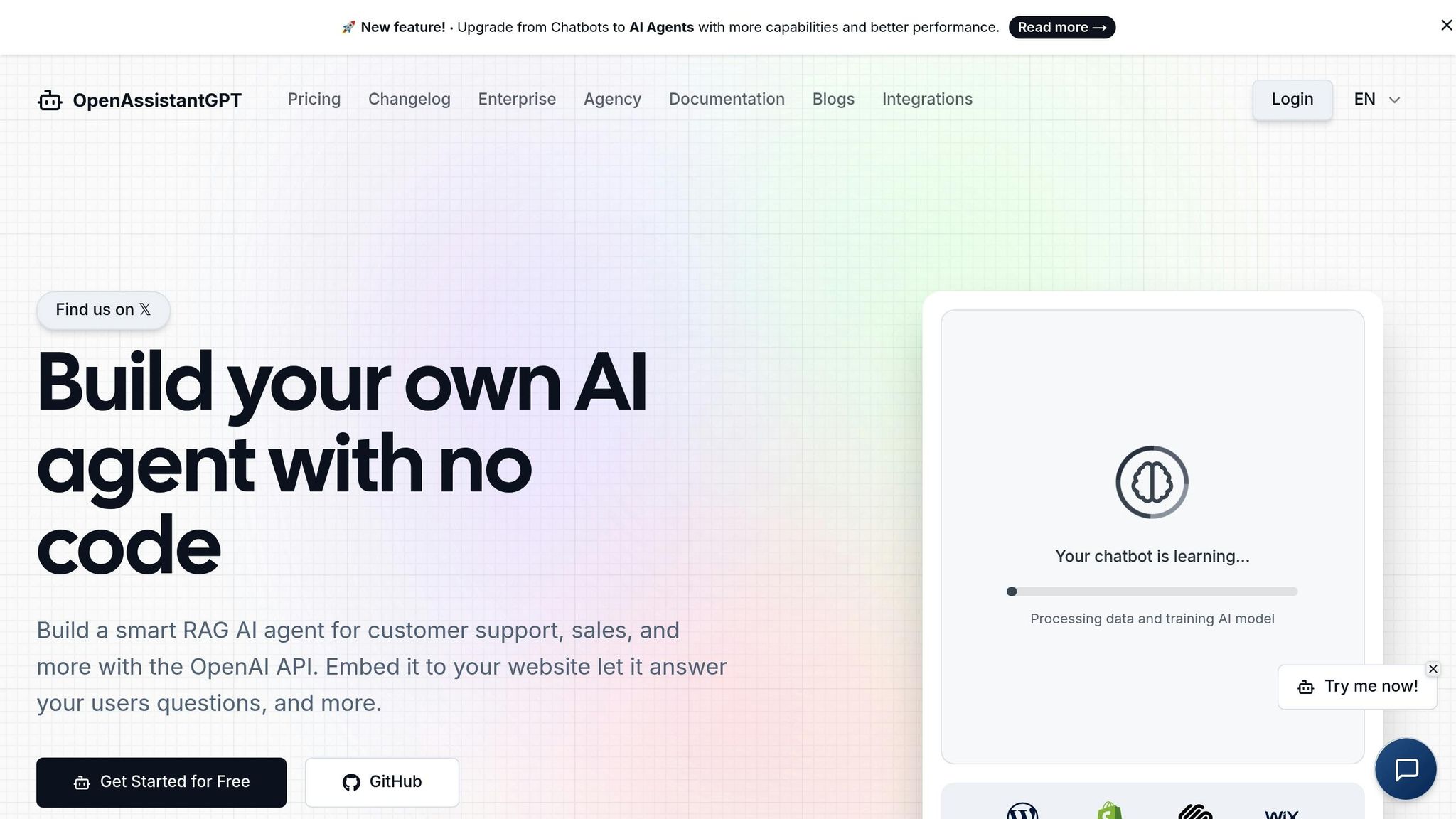
Once Salesforce is ready, OpenAssistantGPT offers an intuitive no-code platform to streamline chatbot creation. Built on secure API integration, this tool allows you to design workflows without requiring advanced technical skills. It supports OpenAI models like GPT-4, GPT-3.5, and GPT-4o, enabling you to create sophisticated chatbots through a user-friendly visual interface.
After setting up your account, you can define your chatbot's behavior by configuring initial prompts and selecting an OpenAI model. OpenAssistantGPT's AI Agent Actions make it easy to connect to Salesforce APIs by setting URL parameters. This allows your chatbot to perform tasks like querying lead information, updating opportunity stages, or logging support cases - all without backend coding.
The platform also extends functionality with features like web crawling for extracting content, file analysis for processing attachments, and lead collection during chatbot interactions. These tools provide additional context, helping the chatbot handle more complex customer scenarios.
One of the biggest advantages of a no-code approach is speed. You can create reusable actions, such as generating leads or updating opportunity stages, and make them available as buttons or intents within the chatbot builder. This empowers non-technical users to quickly design workflows without risking data integrity or requiring constant developer support.
For pricing, OpenAssistantGPT offers several plans. The Free Plan includes one chatbot with 500 messages per month, ideal for testing or small projects. The Basic Plan costs $18 per month and supports nine chatbots with unlimited messaging and lead collection. The Pro Plan, at $54 per month, offers 27 chatbots, custom domains, and file attachments. For larger enterprises, the Enterprise Plan provides unlimited chatbots, SAML/SSO authentication, and SLA guarantees with custom pricing.
In addition to OpenAssistantGPT's subscription fees, remember that OpenAI charges based on usage (per 1,000 tokens). To manage costs, implement guardrails like maximum context lengths and truncation rules.
Deciding between OpenAssistantGPT's no-code platform and custom Apex development depends on your specific needs. No-code solutions enable rapid deployment and empower business users to iterate quickly. On the other hand, custom development offers more control and deeper integration with Salesforce's native features. For many small and mid-sized U.S. businesses, the no-code route is a practical and efficient choice.
Integrating Openai with Salesforce: The Ultimate Guide
Lead Management Workflows with OpenAI Chatbots
With seamless Salesforce integration, OpenAI-powered chatbots are transforming how sales teams handle leads. These chatbots engage website visitors in natural conversations, capturing, qualifying, and enriching lead data automatically. The result? Salesforce is updated with structured, actionable information, streamlining CRM operations and improving efficiency.
Creating Leads from Chatbot Conversations
When a visitor chats with an OpenAI-powered bot on your website, the bot collects essential details like name, email, company, industry, and inquiry type through conversational interactions - no more static forms.
For example, if a visitor says, "I'm looking for a solution for our 200-person marketing team in Chicago", the chatbot identifies the company size and location, then maps this information to Salesforce Lead fields such as First Name, Last Name, Email, Company, Industry, and Lead Source.
Using OpenAssistantGPT, this process becomes even more streamlined. Priced at $18 per month on the Basic Plan, this tool includes built-in forms to gather contact details during the conversation. You can configure AI Agent Actions to directly call Salesforce APIs, creating new Lead records automatically. Tasks like phone number formatting and email validation are handled by the system, and you can define which chatbot fields correspond to Salesforce Lead fields.
Beyond basic data collection, chatbots can automate related tasks. For instance, they can create a Task assigned to a sales representative for immediate follow-up or add the Lead to a specific Campaign. This eliminates manual data entry and ensures no lead slips through the cracks, setting the stage for effective lead qualification.
Qualifying and Scoring Leads
Once the chatbot captures contact details, it can qualify leads using popular frameworks like BANT or MEDDIC. By asking targeted questions - such as "What’s your timeline for implementing a solution?" or "What budget range are you considering?" - the chatbot gathers critical insights for lead qualification.
The bot analyzes responses in real time, assigning a Lead Score and updating the status to "High Priority" when urgency or significant budget indicators are detected. For instance, if a prospect says, "We need this ASAP; our current system is causing major problems", the bot interprets the urgency and updates the Lead Status to "Hot" or "High Priority."
Many sales teams in the U.S. use a hybrid approach, where high-value leads identified by the chatbot are routed to an intermediate "AI Qualifying" or "Needs Review" stage. This allows a human sales rep to verify the bot’s assessment before moving the lead forward. According to Salesforce research, companies leveraging AI in sales report improved productivity as reps can focus more on high-impact activities instead of manual CRM updates.
The chatbot can also populate custom fields based on qualification criteria. For example, if your team tracks attributes like Decision Maker Role or Current Solution, the bot extracts these details and writes them to the appropriate Salesforce fields. This structured data feeds into routing and scoring rules, ensuring leads are directed to the right sales team without delay.
For users of OpenAssistantGPT, these workflows are configurable via the platform’s AI Agent Actions. API calls can update fields like Lead Status, Lead Score, or custom attributes based on the bot’s analysis. The Pro Plan, at $54 per month, supports up to 27 chatbots, allowing businesses to create specialized bots for different products, regions, or customer segments.
Enriching Lead Data with AI
OpenAI-powered chatbots don’t just collect data - they enrich it. By analyzing unstructured messages, these bots extract key insights and automatically populate Salesforce fields.
For instance, if a visitor writes, "We’re a 150-person SaaS company in Austin struggling with customer support response times", the chatbot identifies company size (150 employees), industry (SaaS), location (Austin, TX), and pain point (support response times). This information is mapped to Salesforce fields like Employees, Industry, City, State, and even custom fields like Pain Point or Product Interest.
To help sales reps, the chatbot can generate a Lead Summary field, condensing the conversation into a short paragraph. For example: "Marketing Director at a 200-person fintech company seeking CRM integration for their sales team. Budget approved and decision pending." This summary enables reps to quickly understand the prospect’s needs and personalize their outreach.
When deploying these workflows in the U.S., it’s important to include clear consent language, such as "By continuing, you agree to receive follow-up from our sales team", to meet privacy expectations. Sensitive details, like budget figures, should be protected with field-level security in Salesforce to ensure only authorized team members have access.
| Workflow Area | What the OpenAI Chatbot Does | How Salesforce Is Updated |
|---|---|---|
| Data enrichment | Extracts entities like industry, company size, product interest, and region from conversations | Populates custom Lead fields (e.g., Industry, Employees, Product Interest), attaches summaries, and logs chat transcripts |
| Routing | Tags leads with territory or segment info based on location, deal size, or product mentions | Triggers Assignment Rules or Flows to route leads to the right queue or owner, creating opportunities for high-value cases |
Once leads are enriched, Salesforce automation tools like Flows and Assignment Rules can route high-priority leads directly to the appropriate sales queue. This ensures your most promising prospects get immediate attention, helping to boost conversion rates and drive revenue growth.
With detailed, enriched profiles in hand, your sales team is ready to deliver personalized follow-ups that resonate with potential customers.
Sales and Opportunity Workflows
Building on lead enrichment workflows, opportunity processes take things a step further by optimizing your sales cycle within Salesforce. Once leads transition into opportunities, OpenAI-powered chatbots play a pivotal role in helping sales teams manage deals more effectively. These AI assistants integrate seamlessly with Salesforce, summarizing complex deal histories and drafting tailored communications, enabling reps to focus on closing deals.
According to research highlighted by Salesforce, sales reps spend over half their time on non-selling activities like data entry and drafting emails. Let’s dive into how these workflows streamline deal management with concise data summaries and personalized follow-ups.
Summarizing Opportunity Data
Sales reps often need quick, digestible insights before jumping on calls, reviewing pipelines, or negotiating deals. OpenAI-powered assistants can pull opportunity records from Salesforce and generate summaries that focus on key details like recent activity, primary stakeholders, potential risks, and actionable next steps. These summaries are typically triggered when opportunities progress, surpass a certain value (e.g., $50,000+), or ahead of critical customer meetings.
The chatbot works by accessing Salesforce data through its API, retrieving essential fields - such as Amount, Stage, and Close Date - and related activities like tasks, events, and notes. It can even analyze unstructured data such as call notes, email threads, or full meeting transcripts stored in Salesforce. For example, tools like Gong capture detailed meeting transcripts, allowing the AI to extract insights on competitors, objections, and decision-makers.
Here’s an example of what such a summary might look like:
"Enterprise deal with a 500-person fintech company. Currently in the Proposal stage with a $120,000 ARR. Key contact: VP of Sales, expecting budget approval by the end of Q1. Competitor mentioned: legacy CRM provider. Main pain point: lack of mobile access for field reps. Next step: schedule a demo with the IT security team."
This summary can be added to a custom Salesforce field (e.g., AI Summary) or attached as a note to the opportunity record. Sales managers can review these summaries during pipeline meetings, and reps can refresh them with a single click to ensure they have the latest context.
For teams using OpenAssistantGPT, AI Agent Actions make these workflows possible without needing custom Apex code. The assistant leverages models like GPT-4 to process the data, generate the summary, and update Salesforce records via API calls.
By using frameworks like OpenAI’s Assistants API and function calling, Salesforce operations (e.g., "getOpportunityById", "updateStage", or "listRecentActivities") can be securely exposed for the AI to handle reasoning and language tasks.
To gauge the impact, sales teams can track metrics such as time-to-close for opportunities with AI summaries versus manual reviews, as well as adoption rates among reps. Comparing AI-generated insights with rep feedback can also improve the accuracy of prompts over time.
While these summaries provide reps with critical insights, personalized follow-ups ensure consistent engagement throughout the sales process.
Drafting Personalized Follow-Up Emails
After a customer meeting or when an opportunity stalls, sending a well-crafted, relevant follow-up email is crucial. Writing these emails manually can be a time sink, and generic templates often fall flat. OpenAI-powered chatbots simplify this by drafting emails tailored to the opportunity’s stage, recent activity, and specific customer information stored in Salesforce.
This workflow begins when a rep requests an email draft - either via a button in Salesforce Lightning or by instructing the chatbot (e.g., "Draft a follow-up email for the Acme Corp opportunity"). The assistant retrieves relevant opportunity details, such as Account Name, Contact Name, Stage, Amount, and Last Activity Date, along with notes, tasks, and email history.
Using this data, the AI creates a draft like this:
"Hi [Contact Name], following our recent discussion on [Topic], I’d like to propose a follow-up call on [Date/Time] to explore how our solution can address [Key Challenge]."
To ensure emails stay on-brand and compliant with regulations like CAN-SPAM, guardrails can be built into the prompts. Reps can then review and tweak the drafts directly in Salesforce or their email client before sending. Once sent, the email is logged back into the opportunity record, creating a complete activity history for future reference.
OpenAssistantGPT allows for multiple chatbot configurations tailored to different workflows. For example, you could have separate bots for enterprise deals, mid-market opportunities, and renewals, each equipped with customized prompts and email templates.
For even greater efficiency, multi-intent chatbot frameworks can handle multiple tasks in one go. A rep might say, "Update the stage to Negotiation and draft a follow-up email", and the assistant will execute both tasks in sequence without needing separate commands. This reduces context switching and keeps reps focused on their workflow.
When introducing these workflows, it’s best to start small - perhaps by piloting AI-generated follow-up emails for late-stage deals. Track metrics like email open rates, response rates, and time spent drafting emails to measure effectiveness before scaling up. Involving sales managers early on to define what makes a "good" email can help fine-tune prompts and ensure the AI meets your team’s needs.
The shift from rule-based chatbots to AI-powered assistants represents a major leap forward. Traditional bots rely on rigid decision trees and struggle with unstructured data, while AI assistants can interpret free-text notes, emails, and transcripts to deliver actionable summaries and recommendations. Unlike rule-based bots, which require constant maintenance, AI-powered systems adapt more easily to changes in sales processes and messaging.
sbb-itb-7a6b5a0
Customer Support and Case Management Workflows
Customer support teams often juggle a massive volume of cases, each with detailed interaction histories. This workload can make manual reviews overwhelming. But just as sales teams have embraced automation, support teams are now leveraging AI-powered chatbots to simplify case management. Tools like OpenAssistantGPT, with its no-code integrations, are changing the game by automating case summaries and routing inquiries. These advancements not only cut response times but also free up agents to focus on solving problems instead of wading through data. The result? Faster resolutions and smoother workflows.
Research highlights the impact of these tools: AI-powered chatbots can improve resolution times by 60% and reduce support tickets by an average of 35% by automating answers to frequently asked questions. This evolution moves chatbots beyond simple FAQ handling into more comprehensive support systems.
Summarizing Case History for Support Agents
When agents receive escalated cases, they need to quickly understand the situation. OpenAI-powered chatbots can step in by pulling data from platforms like Salesforce and generating concise, actionable summaries. These summaries include the customer’s issue, steps taken, current status, and recommended next actions.
Using APIs, the chatbot retrieves key fields such as Case Number, Subject, Status, Priority, and Product, along with related activities like emails, call logs, and comments. Unlike traditional systems that struggle with unstructured data, AI tools excel at analyzing long conversation histories and distilling the most relevant details.
Here’s an example of a case summary:
"Customer reported login issues on December 3, 2025. Support agent verified account status and reset password on December 4. Customer confirmed access restored but reported slow performance. Escalated to technical team on December 5. Current status: awaiting server logs from IT. Next step: follow up with customer once logs are reviewed."
This summary can be stored in a custom field (e.g., "AI Summary") on the Case record for reuse in emails or handoffs. Agents can refresh these summaries with a click to get the latest context, while managers can review them during team meetings.
To ensure clarity and consistency, a structured template - Issue, Context, Steps Taken, Current Status, Next Steps - is recommended. OpenAssistantGPT’s AI Agent Actions make these workflows possible without requiring custom Apex code. The platform supports file analysis and API querying, enabling seamless integration with Salesforce APIs for case management.
For flexibility, many implementations isolate configuration settings like the chosen AI model, temperature, and token limits in metadata. This allows administrators to adjust chatbot behavior without redeploying code. Logging AI prompts and outputs on the Case record also aids in compliance reviews and fine-tuning, while feedback mechanisms let agents rate AI suggestions for continuous improvement.
Some organizations start with case summarization as a high-yield use case since it doesn’t require customer-facing automation. Tracking metrics like time-to-resolution for AI-assisted cases versus manual ones can help quantify the benefits.
Beyond summarization, intelligent routing takes support workflows to the next level.
Routing and Prioritizing Cases
Quickly routing customer inquiries to the right team can be the difference between keeping a customer happy and losing them. OpenAI-powered chatbots use natural language processing to classify incoming cases by priority (critical, high, medium, low) and category (billing, technical, product, account management).
For instance, a customer reporting a service outage might be classified as "critical" and "technical", ensuring it’s sent to the technical support team with high priority. Meanwhile, a general inquiry about product features might be routed to the sales team.
This approach is a big step up from traditional rule-based routing, which relies on static criteria. AI tools analyze free-text case descriptions and chat transcripts to understand intent, urgency, and even sentiment, enabling more nuanced case assignments.
By mapping AI outputs to Salesforce picklists, integration with existing workflows becomes seamless. For example, if the AI detects an “urgent billing issue,” it can set the Priority field to "High" and the Type field to "Billing", ensuring the case is routed to the appropriate team immediately.
AI chatbots can also enrich case data by analyzing customer sentiment. For example, if frustration is detected in a message, the system can flag the case for expedited handling or escalate it to a senior agent. This sentiment analysis helps support managers identify at-risk customers and refine their resolution strategies.
Intent and sentiment detection also allow for specialized queue assignments, such as routing cases from high-value accounts directly to senior support teams. For example, if an enterprise customer expresses frustration, the case might be escalated to a senior engineer, with the account manager notified.
OpenAssistantGPT’s AI Agent Actions enable chatbots to perform various Salesforce operations - like creating cases, updating priorities, or adding comments - based on their analysis. These tools also allow for dynamic interactions through API queries, enabling chatbots to route or update cases as needed.
To ensure reliability, it’s essential to implement safeguards like rate limiting and error handling for API calls. For example, if the AI service times out, the chatbot should default to creating a case with standard priority settings rather than failing entirely.
An increasingly popular approach involves combining retrieval-augmented generation (RAG) with Salesforce data. This method integrates knowledge base articles, product documentation, and policy guidelines to ensure AI-generated summaries and responses align with company standards. By doing so, chatbots can provide accurate resolutions or routing decisions based on official policies.
When using third-party no-code chatbot platforms, teams often configure them to create or update cases via authenticated APIs. This allows Salesforce to handle service-level agreements (SLAs) and downstream workflows while the chatbot focuses on customer interactions. Keeping these systems separate maintains a clean architecture and leverages the strengths of each platform.
Some organizations also deploy OpenAI assistants in the background rather than as customer-facing tools. For example, nightly batch jobs can summarize all open critical cases and email reports to support managers, helping them prioritize their day.
| Use Case | How AI Helps in Salesforce Support | Practical Implementation Notes |
|---|---|---|
| AI-driven routing and prioritization | Classifies cases by topic, sentiment, and urgency, then updates fields like Priority and Queue | Map model outputs to existing picklists and queues; integrate with assignment and escalation rules |
| Knowledge surfacing | Suggests relevant knowledge articles or documentation snippets to the agent while viewing a case | Use retrieval over KB content and show links in a console widget; track which suggestions agents use |
Technical Implementation and Best Practices
Integrating OpenAI chatbots with Salesforce calls for a well-designed architecture, secure API configurations, and workflows that can scale. Building on earlier discussions about no-code setups, this section dives into integration methods and tips to improve your Salesforce workflows. Modern tools, including no-code platforms like OpenAssistantGPT, make it possible to deploy advanced AI workflows without heavy coding. Below, we’ll explore integration methods and share best practices for a secure and efficient implementation.
Integration Patterns for OpenAI and Salesforce
When connecting OpenAI's API with Salesforce, there are several approaches to consider. Each method has its own strengths and challenges, and the right choice depends on your team’s technical expertise, existing setup, and desired level of control.
Apex Callouts
This approach involves using Named Credentials to securely call OpenAI’s API directly from Salesforce. Apex callouts provide complete control over error handling and data transformation. These can be triggered from Apex triggers, batch jobs, or scheduled classes. However, this method requires strong development skills and ongoing maintenance as APIs evolve.
Salesforce Flow
Flows combined with invocable Apex methods strike a balance between coding and admin-led configuration. Admins can design workflows that trigger AI tasks during specific events, such as Case creation or Opportunity stage changes. While this method requires less coding, it can become complex when dealing with advanced logic or error scenarios.
Middleware and iPaaS Platforms
Platforms like Zapier or Albato act as intermediaries, orchestrating API calls between Salesforce and OpenAI. Middleware simplifies integration by reducing custom code and offering visual workflow builders. However, it comes with vendor costs, potential latency, and the need to pass data through external systems.
No-Code Webhook Tools and AppExchange Apps
These tools offer prebuilt connectors and user-friendly interfaces for integrating OpenAI models with Salesforce. They are ideal for small teams or those without development expertise. For example, OpenAssistantGPT provides a no-code front-end for the OpenAI Assistants API, enabling chatbot behavior, web crawling, file analysis, and more. It integrates with Salesforce via secure REST endpoints, pushing structured outputs - like leads or summaries - into Salesforce while handling API interactions behind the scenes. This approach is particularly useful for small U.S.-based teams aiming to test AI workflows quickly.
Here’s a comparison of the main integration patterns:
| Pattern | How It Works with Salesforce | Pros for Technical Implementation | Cons / Tradeoffs | Best-Fit Use Cases |
|---|---|---|---|---|
| Apex callouts to OpenAI API | Uses Named Credentials and custom Apex for direct API calls | Full control over logic, error handling, and data transformation | Requires development expertise; ongoing maintenance | Complex workflows requiring custom logic |
| Salesforce Flow with invocable Apex | Admins create workflows that call Apex methods wrapping OpenAI requests | Admin-driven configuration with reusable components | Limited error handling; complexity with advanced logic | Event-driven tasks like Lead updates or Case creation |
| Middleware / iPaaS platforms | External tools manage API orchestration and data mapping | Reduces custom code; connects multiple systems | Vendor costs; potential latency; external data handling | Multi-system integrations; rapid prototyping |
| No-code webhook tools / apps | Prebuilt connectors for Salesforce-native experiences | Minimal coding; fast deployment | Limited customization; potential vendor lock-in | Quick experiments; small teams; standard workflows |
Some Salesforce guides highlight that AI integrations can be built using declarative tools and webhook-style connectors, allowing non-developers to automate tasks like case triage or response drafting. Interestingly, one guide even notes that much of the Apex and JavaScript code for an AppExchange app’s AI features was drafted using ChatGPT, showcasing how AI can accelerate development.
A common setup with OpenAssistantGPT involves defining the chatbot’s tasks - such as web crawling or file analysis - and securely pushing structured results into Salesforce via REST endpoints. This setup ensures that only non-sensitive, structured data reaches Salesforce, while API users operate with least-privilege permissions.
Best practices lean toward event-driven workflows, where AI processes are triggered by actions like Case creation or Opportunity updates. AI-generated outputs, such as summaries or scores, are stored in Salesforce fields, while critical decisions and updates remain under human control or require explicit approval. This approach builds trust and allows for safe experimentation before scaling AI-driven updates.
For advanced use cases, OpenAI’s Actions (via custom GPTs) can interact directly with Salesforce using OAuth and OpenAPI schemas. This setup essentially transforms a GPT into a secure assistant capable of reading and writing CRM data within governed scopes.
Security and Compliance Considerations
Ensuring data security and privacy is essential when integrating AI with Salesforce. According to industry surveys, over 70% of organizations cite data security as a top concern in adopting AI for customer-facing workflows. Here’s how to address these concerns:
- Secure API Keys: Store API keys in Named Credentials to protect them from exposure.
- Redact Sensitive Data: Anonymize or redact personally identifiable information (PII) like Social Security numbers or payment details before sending data to OpenAI. Only include necessary fields (e.g., description or subject) in prompts.
- Field-Level Security: Configure field-level security to restrict access to sensitive data, ensuring only relevant fields are used in AI workflows.
U.S. organizations must also comply with regulations such as CCPA/CPRA, HIPAA, and SOC 2, depending on their industry. Map your AI data flows, apply retention policies, and ensure vendor contracts clearly outline data usage and storage terms. OpenAI’s data processing terms should be reviewed to confirm how your data will be handled and whether it will be used for model improvements.
For private, employee-only chatbots, implement strong authentication methods like SAML or SSO to secure access and protect internal Salesforce workflows. These measures ensure that your AI integration aligns with both regulatory requirements and internal governance policies.
Conclusion
OpenAI chatbots are transforming how businesses handle lead management, sales acceleration, and customer support within Salesforce. By automating workflows, these chatbots enable faster lead capture and qualification, turning website conversations into Salesforce leads enriched with details like company size and industry. Sales teams gain an edge with AI-generated opportunity summaries and tailored follow-up emails, helping to shorten sales cycles. Meanwhile, support teams benefit from automated case summaries and intelligent routing, which reduce agent handling times and improve first-contact resolution rates.
To get started, focus on a single impactful workflow - like capturing leads from a website chatbot or summarizing support case histories. This approach demonstrates quick value while avoiding pitfalls, such as overlooking data quality or security when integrating Salesforce data with external AI models.
Platforms like OpenAssistantGPT make it easy to prototype and scale AI-driven workflows in Salesforce. With tools like the Assistant API, OpenAssistantGPT supports features such as web crawling, file analysis, and lead collection. These chatbots can securely connect to Salesforce via REST endpoints, pushing structured outputs - like leads or case summaries - directly into your CRM while maintaining robust control over data flow and authentication. This setup allows even small teams in the U.S. to deploy AI workflows in just days.
The impact is clear: real-world examples show businesses reducing support tickets by 35%, improving resolution times by 60%, and saving around $25,000 annually. For instance, in October 2024, Omnitoria showcased a ChatGPT-Salesforce integration using Declarative Webhooks. This workflow categorized incoming support cases, set priorities, suggested responses, and routed cases to the right teams - all without requiring custom code.
As AI technology and integration tools continue to advance, OpenAI chatbots are becoming essential in the Salesforce ecosystem. They’re evolving from basic automation tools to solutions that deliver predictive insights and proactive engagement. Whether you’re capturing your first lead or scaling to thousands of automated interactions each month, these workflows offer a clear path to turning conversational AI into measurable CRM success, reshaping how sales, service, and marketing teams operate.
FAQs
How can OpenAI-powered chatbots improve lead management in Salesforce?
OpenAI-powered chatbots can make managing leads in Salesforce much more efficient by taking over repetitive tasks and improving how businesses interact with their customers. For instance, they can handle lead qualification by asking pre-set questions, gather and organize customer details, and instantly route qualified leads to the right sales team members.
These chatbots also sync seamlessly with Salesforce, updating lead records, tracking customer interactions, and delivering analytics-driven insights. This means your sales team always has the most current and useful data at their fingertips, allowing them to concentrate on closing deals instead of getting bogged down with admin tasks.
What security measures should I consider when integrating OpenAI-powered chatbots with Salesforce?
When bringing OpenAI-powered chatbots into Salesforce, data security and user privacy should always be top priorities. Make sure that sensitive customer information is encrypted both during transit and while stored. Also, implement role-based access controls to limit who can view or modify specific data.
Take advantage of Salesforce's built-in security features to add extra layers of protection. Tools like IP whitelisting, two-factor authentication, and field-level security can help keep your workflows secure. If you're using platforms such as OpenAssistantGPT to build your chatbot, ensure it supports secure authentication methods like SAML/SSO for private deployments. This ensures that only authorized users can interact with the chatbot.
It's a good habit to regularly review and update your security settings to align with current regulations and industry best practices.
How does OpenAssistantGPT make it easy to set up AI-powered workflows in Salesforce?
OpenAssistantGPT makes building AI-powered workflows in Salesforce easier by offering a no-code platform that uses OpenAI's Assistant API. This means you can create and customize chatbots without needing any coding knowledge.
With OpenAssistantGPT, you can design chatbots to handle a variety of tasks, such as automating responses to customer inquiries, analyzing uploaded files, querying APIs, and gathering leads. The platform also ensures secure and private chatbot configurations with SAML/SSO authentication, making it an effective solution for optimizing processes within Salesforce.